Problem + Challenge:


Other Projects:
Raise Global Health
Illustrations
Forage Beer Can Product Design
Art Gallery
Designing a system to help teachers translate IEP goals into actionable, trackable support for students with special needs.
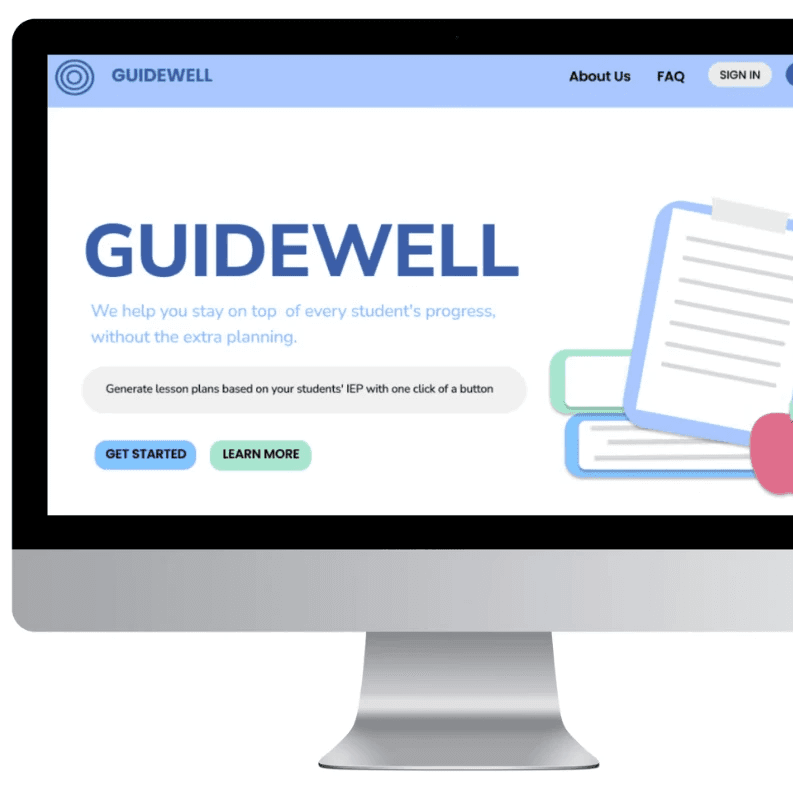
Guidewell is an EdTech platform designed to help K-8 teachers translate Individualized Education Plans (IEPs) into clear, actionable lesson guidance. The goal was to reduce cognitive overload and simplify documentation workflows for educators who may not be tech-comfortable.
The platform prioritizes clarity over aesthetic complexity and follows a usability-first philosophy.
Teachers struggle to track individual IEP goals across fragmented systems and documentation-heavy workflows. This often leads to:
-Inconsistent progress tracking
-Planning fatigue
-Reduced clarity in goal implementation
Many educators-especially older teachers-did not grow up with technology and feel overwhelmed by modern SaaS interfaces.
-K-8 Teachers
-Secondary: Parents (view-only)
Reduce cognitive overload
Make workflows predictable and obvious
Feel supportive and human, not robotic
Maintain warmth without sacrificing clarity.
Decision 1: One Student at a Time Dashboard
Decision 2: No Hover Dropdown Menus
Decision 3: Explicit Labels over Icons
Many Teachers prefer:
-Explicit Navigation
-Visible functionality
-Minimal hidden interaction
Step-by-step flows
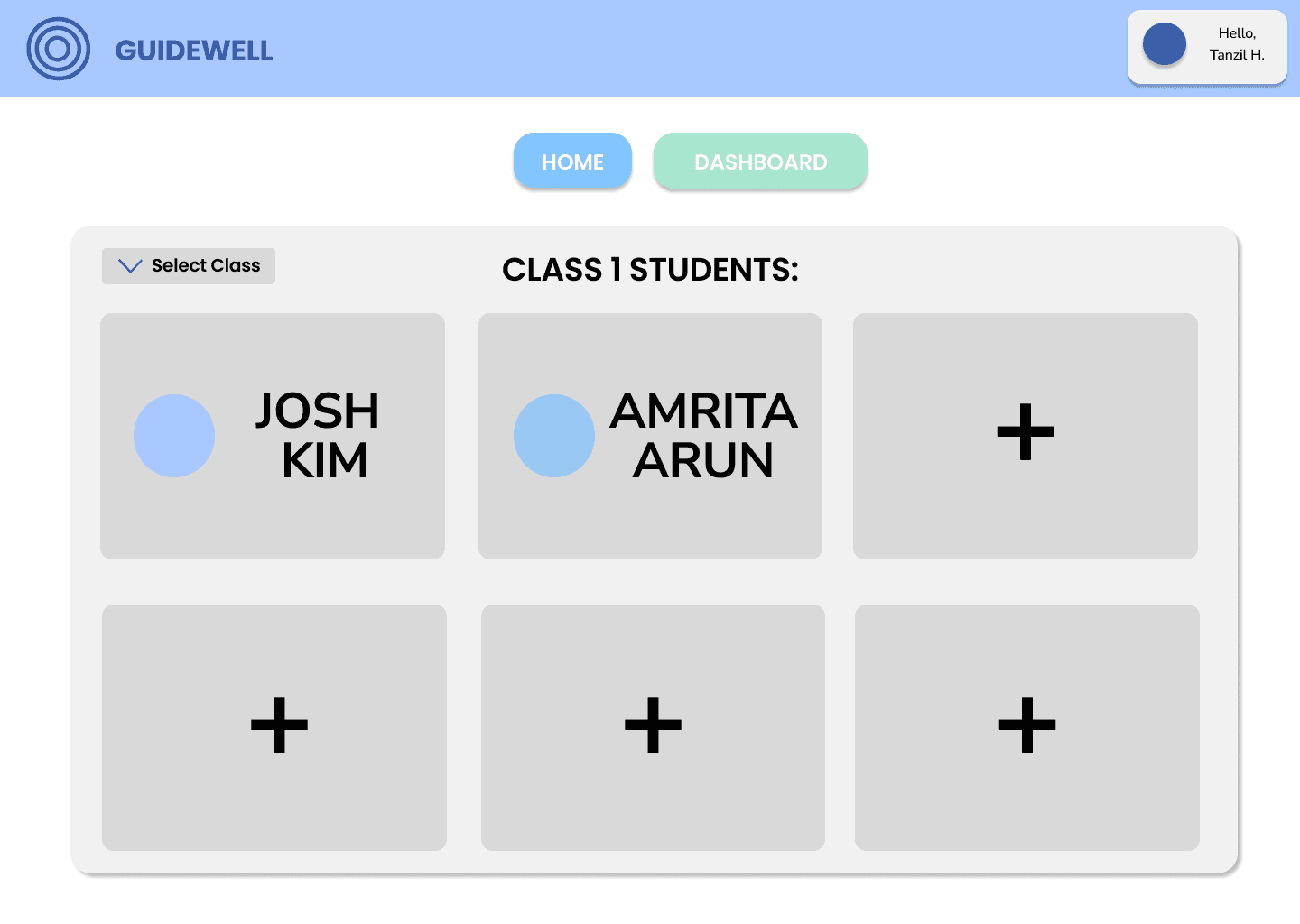
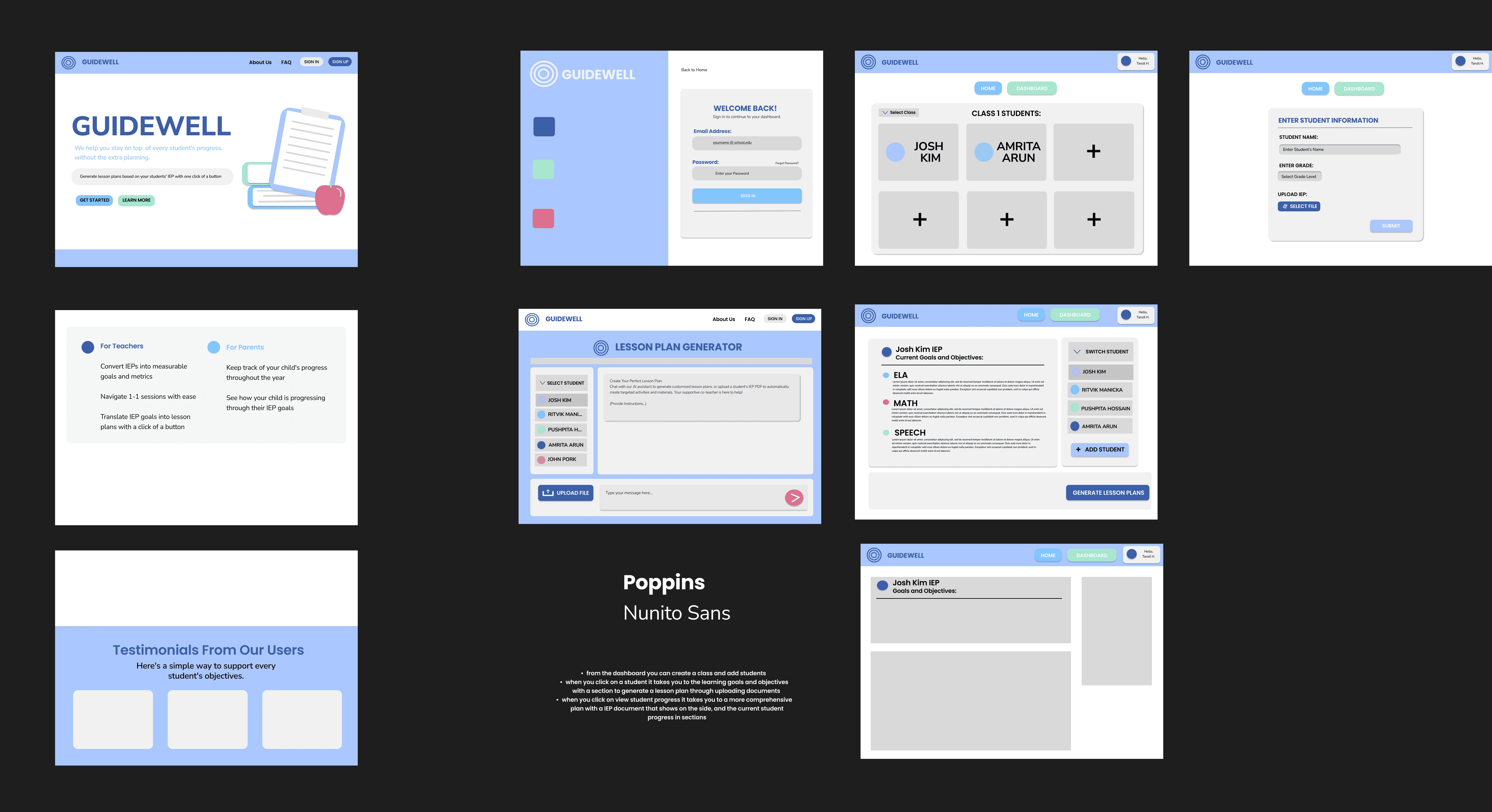
Instead of displaying multiple student cards, the dashboard focuses on one student at a time to reduce visual noise and cognitive overload.
Hidden hover interactions were avoided to support less tech-comfortable users.
Icons alone were not used for navigation-labels were always visible.
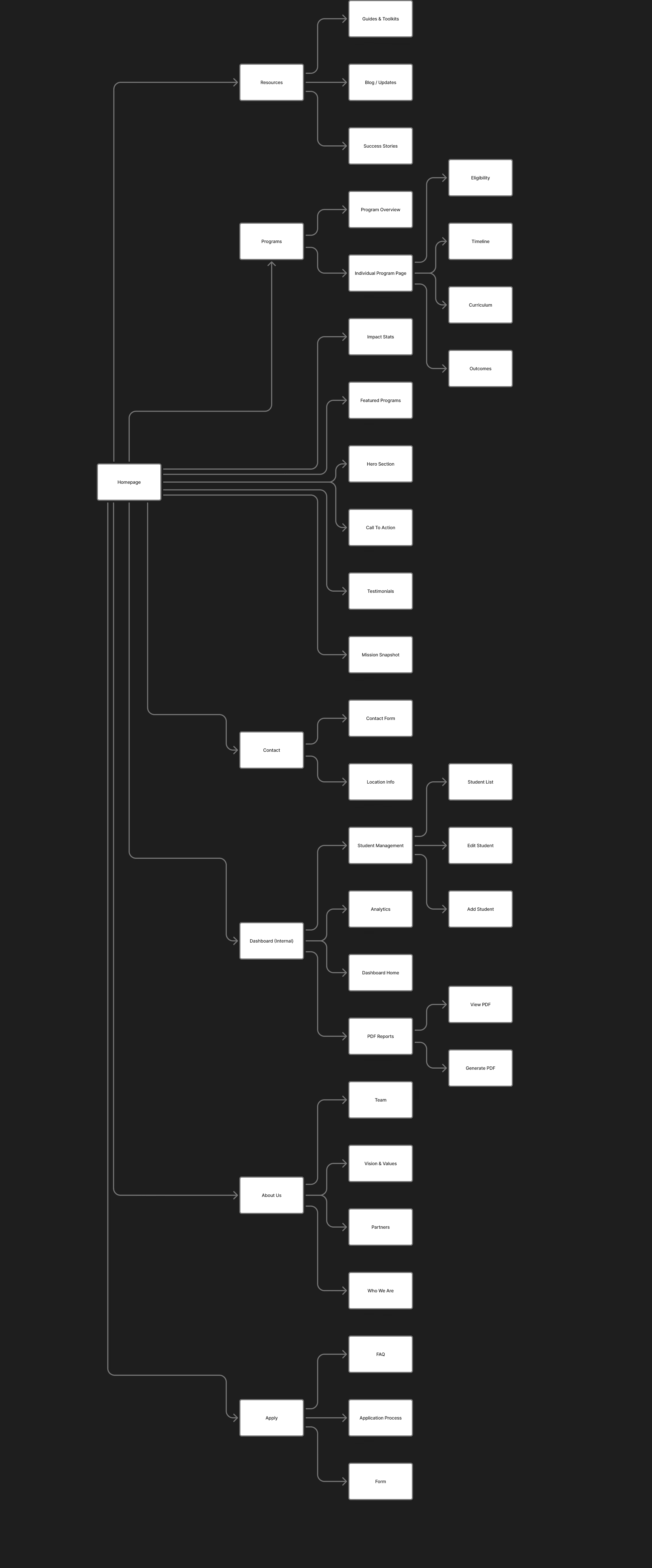
-Home
-About
-Features + Reviews
-Login/Sign Up
-LLM Prompt Page
-Generated Lesson Plan View
-Student Dashboard
-Add Student Flow
Initial wireframe plan
Initial wireframe plan
Layouts + Drafts
UX Design Lead
Problem + Challenge:
Primary Users:
UX Decisions
Brand Personality
Color Strategy
Typograpy
Concluding Thoughts:
Key Behavioral Insight:
Design Goals:
External Website:
Internal Platform:
Tools: Figma, Research, Systems Designs
Concept/Academic/Personal
Iep Management Platform
Status: In Progress since November 2025
Supportive co-teacher, not a robot.
Used for hierarchy, headings, and primary calls-to-action. Blue reinforces trust and reliability while providing strong contrast for accessibility.
Used sparingly for highlights and visual emphasis. It adds energy and subtle playfulness without overwhelming users.
Introduces warmth and approachability. This color softens the interface and supports the “supportive co-teacher” tone rather than a clinical system.
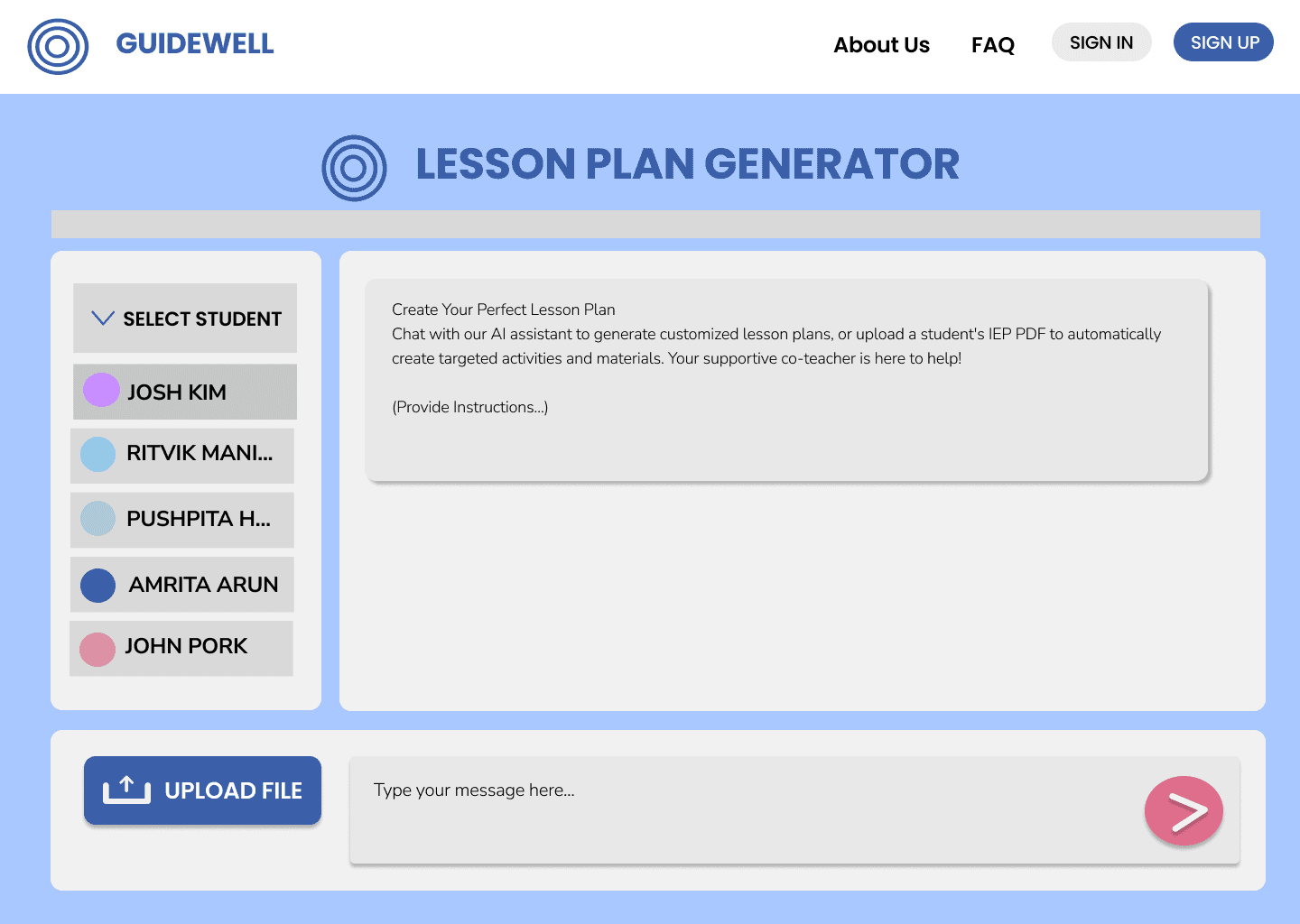
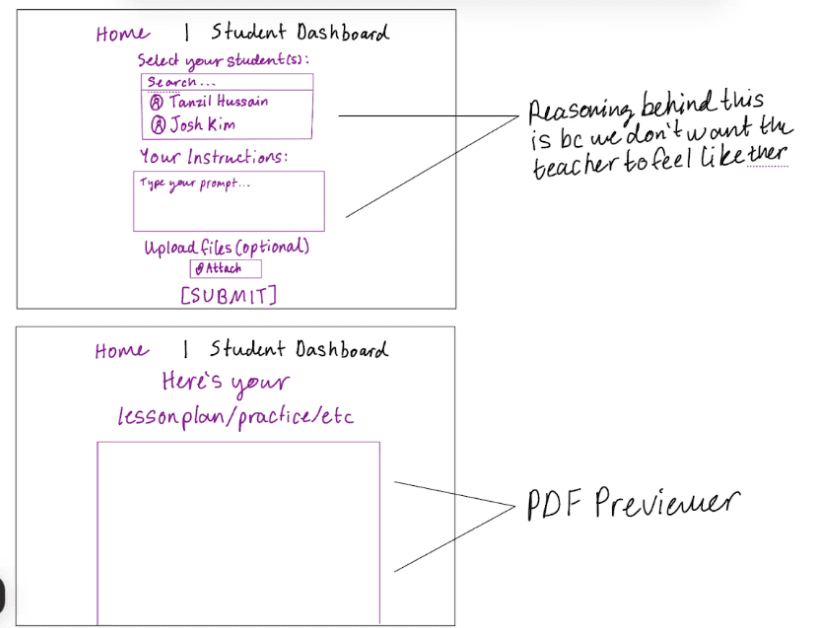
Lesson Plan Generator (DRAFT)
This screen allows teachers to generate structured lesson guidance based on a student’s IEP goals. The layout prioritizes clarity with:
A visible student selector
A clearly labeled instruction field
A single, high-contrast action button
The interface avoids AI-heavy styling and instead frames the experience as an educational workflow tool.
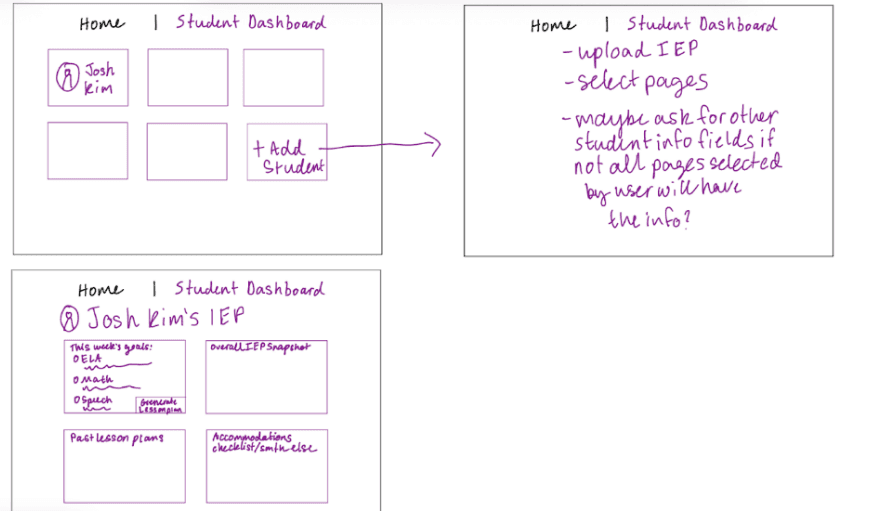
Student Dashboard (DRAFT)
The dashboard is designed to focus on one student at a time to reduce visual clutter and cognitive overload. Teachers can switch between students using a clear, persistent side navigation panel.
This approach avoids overwhelming users with multiple student cards while maintaining predictable navigation.
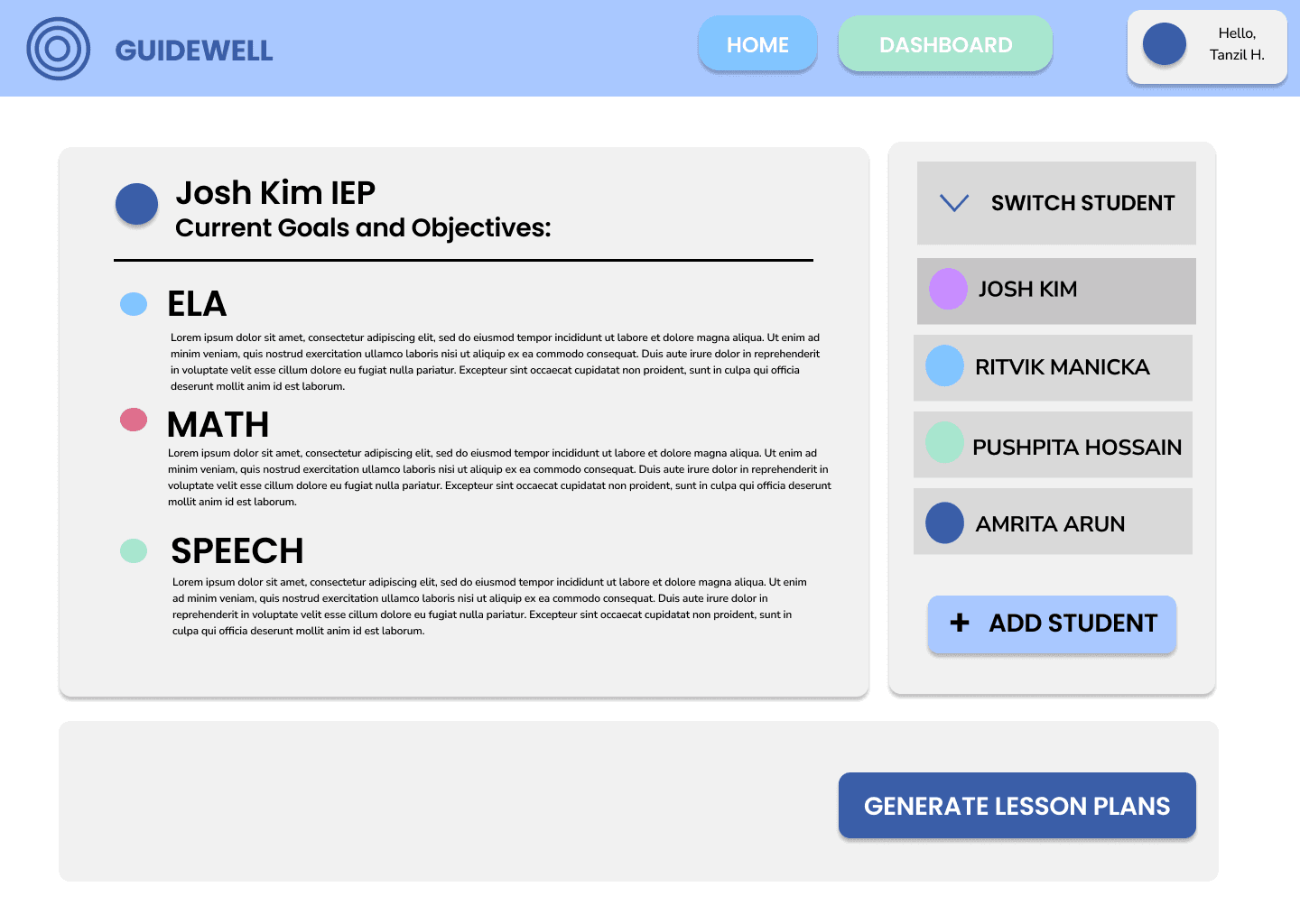
Individual Student IEP View (DRAFT)
This page presents a student’s IEP goals in a simplified, structured layout. Information hierarchy was prioritized over visual decoration, ensuring teachers can quickly scan objectives and track progress.
Explicit labeling and spacing were used to maintain clarity and reduce documentation fatigue.
Designing for Clarity
This project reinforced that simplicity is harder than complexity. Designing for teachers required prioritizing explicit navigation, readable layouts, and predictable workflows over aesthetic trends. I learned to use empathy as a practical design tool — not just a concept.
Improving through Testing
There is still room to refine layout decisions, feature placement, and workflow clarity. With further development, I would conduct usability testing with educators and collaborate more closely with engineers to ensure alignment between user needs and technical feasibility.
Thinking at Scale
If expanded, this platform could support role-based access, analytics dashboards, and integration with school systems. Scaling would require a stronger design system and component consistency to maintain clarity as features grow.
#3A5EA8
#A8E6CF
#DE6E8C